> ## Documentation Index
> Fetch the complete documentation index at: https://docs.argil.ai/llms.txt
> Use this file to discover all available pages before exploring further.
# API Credentials
> Create, manage and safely store your Argil's credentials
`Prerequisite` You should have access to Argil's app with a paid plan to
complete this step.
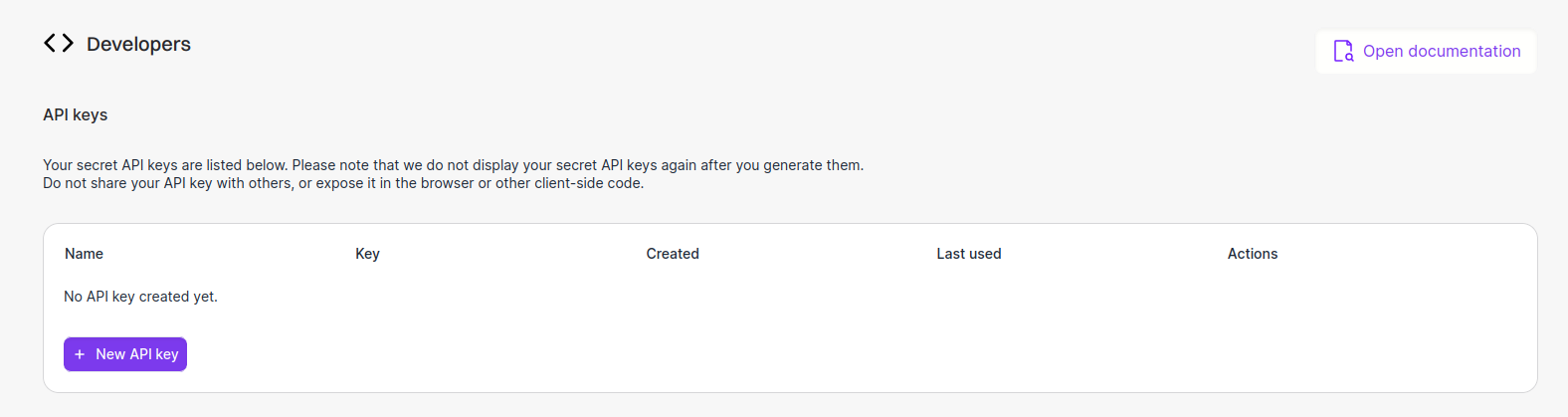
Manage your API keys by clicking [here](https://app.argil.ai/developers) or
directly from the app's sidebar.
From the UI, click on `New API key` and follow the process.
 Authenticate your requests by including your API key in the `x-api-key`
header. \`\`\`http x-api-key: YOUR\_API\_KEY. \`\`\`\`
It is essential to adhere to best practices regarding the storage and usage
of your API key. This information is sensitive and crucial for maintaining
the security of your services.
If any doubt about the corruption of your key, delete it and create a new
one.
Don't share your credentials with anyone. This API key enables video
generation featuring your avatar, which may occur without your explicit
authorization.
Please note that Argil cannot be held responsible for any misuse of this functionality. Always ensure that your API key is handled securely to prevent unauthorized access.
## Troubleshooting
Here's how to solve some common problems when working around your credentials setup.
Let us assist by [Mail](mailto:brivael@argil.ai) or
[Discord](https://discord.gg/Xy5NEqUv).
Authenticate your requests by including your API key in the `x-api-key`
header. \`\`\`http x-api-key: YOUR\_API\_KEY. \`\`\`\`
It is essential to adhere to best practices regarding the storage and usage
of your API key. This information is sensitive and crucial for maintaining
the security of your services.
If any doubt about the corruption of your key, delete it and create a new
one.
Don't share your credentials with anyone. This API key enables video
generation featuring your avatar, which may occur without your explicit
authorization.
Please note that Argil cannot be held responsible for any misuse of this functionality. Always ensure that your API key is handled securely to prevent unauthorized access.
## Troubleshooting
Here's how to solve some common problems when working around your credentials setup.
Let us assist by [Mail](mailto:brivael@argil.ai) or
[Discord](https://discord.gg/Xy5NEqUv).