
Some links may not work - in this case, please reach out to support@argil.ai
- Better SEO rankings
- Social-media ready video content on a video that ha
- Monetizing the video if you have the ability to
How to transform an article into a video
1
Pick the article-to-video template

2
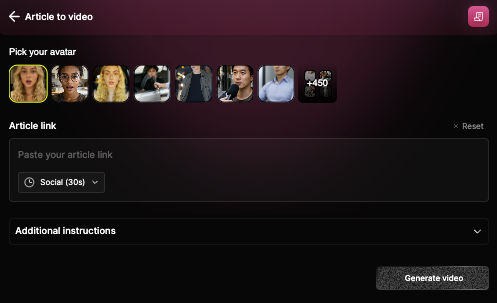
Paste the link of your article and choose the format
You can choose a social media format (with a social media tone) or a more classic format to embed in your articles, that will produce a longer video.
3
Pick the avatar of your choice
4
Review the generated script and media
A script is automatically created for your video, but we also pull the images & videos we found in the original article. Remove those that you do not want, and pick the other options (see our editing tips (add link) for that).
5
Click "generate video" to arrive in the studio
From there, just follow the editing tips (add link) to get the best possible video.
Frequently asked questions
Can I use Article to video via API?
Can I use Article to video via API?
Yes you can! See our API documentation